How to Use One Discount Code for Different Amounts Per Collection in Shopify

Shopify’s native discount system forces you to create separate discount codes for each collection when you want different discount amounts. This creates a poor customer experience — shoppers have to remember multiple codes, and you cannot combine them at checkout. With PowerX Functions Creator, you can solve this by creating a single discount code that automatically applies different amounts to different collections.
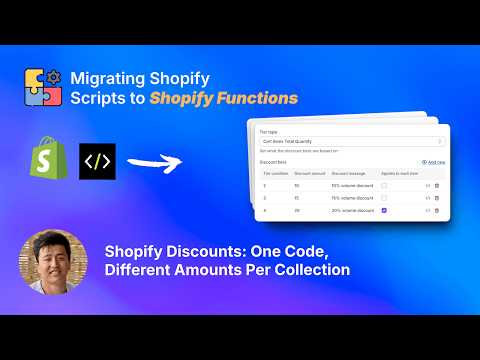
What You’ll Learn in This Video
Section titled “What You’ll Learn in This Video”- How to create a single discount code that applies varying discount amounts across collections
- Setting up collection-specific rules using PowerX’s product discount campaigns
- Configuring item selectors to target specific collections
- Testing your discount to verify each collection receives the correct amount
Step-by-Step Guide: One Code, Multiple Collection Discounts
Section titled “Step-by-Step Guide: One Code, Multiple Collection Discounts”The Problem with Native Shopify Discounts
Section titled “The Problem with Native Shopify Discounts”Every Shopify merchant who runs promotions across multiple product lines eventually hits the same wall. You want to offer 30% off your Summer Collection, 20% off Accessories, and 15% off Basics — all under a single promotional campaign with one easy-to-remember discount code. Shopify’s built-in discount system cannot do this. Each native discount code applies a single fixed amount or percentage to its target products. Running a store-wide sale with different tiers per collection means creating three separate codes, which confuses customers and limits your marketing flexibility.
How PowerX Solves This
Section titled “How PowerX Solves This”PowerX Functions Creator lets you build multi-rule discount campaigns where each rule targets a different collection with its own discount value. The entire campaign is triggered by a single discount code that customers enter at checkout.
Here is how to set it up:
-
Install PowerX and navigate to Product Discounts. Create a new campaign and give it a clear name like “Spring Sale - Multi-Collection.”
-
Create your first rule. Select your first collection using the item selector — for example, “Summer Collection.” Set the discount type to percentage and enter 30%.
-
Add additional rules. Click “Add Rule” and repeat for each collection. Set “Accessories” to 20% off and “Basics” to 15% off. Each rule operates independently within the same campaign.
-
Assign a discount code. Under the campaign settings, set the trigger to “Discount Code” and enter your code — something like SPRINGSALE. This single code activates all rules simultaneously.
-
Test the configuration. Add products from different collections to your cart, apply the discount code at checkout, and verify that each product receives the correct discount amount based on its collection.
Mixing Percentage and Fixed Amount Discounts
Section titled “Mixing Percentage and Fixed Amount Discounts”One of the most powerful aspects of this approach is the ability to mix discount types within a single code. You can set a 25% discount on one collection while applying a flat $10 off on another. This flexibility is particularly useful when your collections have different price ranges — a percentage works better for high-ticket items while a fixed amount may be more appealing for lower-priced products.
Handling Products in Multiple Collections
Section titled “Handling Products in Multiple Collections”If a product belongs to more than one collection, PowerX applies rules based on the order they appear in your campaign. You can control priority by arranging your rules accordingly, ensuring that overlapping products receive the discount you intend. Refer to the getting started guide for details on rule ordering and priority.
Key Takeaways
Section titled “Key Takeaways”- A single discount code can apply different amounts to different collections using PowerX
- You can mix percentage and fixed amount discounts within one campaign
- Item selectors let you precisely target collections, products, or tags
- Rule ordering controls which discount applies when products belong to multiple collections
- No coding is required — everything is configured through the PowerX visual interface
Frequently Asked Questions
Section titled “Frequently Asked Questions”Can I use one discount code for multiple collections with different amounts?
Section titled “Can I use one discount code for multiple collections with different amounts?”Yes, with PowerX Functions Creator you can create a single discount code that applies different percentage or fixed amounts to different collections automatically. Each rule within your campaign targets a specific collection with its own discount value.
Does this work without coding?
Section titled “Does this work without coding?”Yes, PowerX provides a visual interface to configure collection-specific discount rules without writing any code. The entire setup is done through a point-and-click interface in the PowerX dashboard.
Can I combine percentage and fixed amount discounts in one code?
Section titled “Can I combine percentage and fixed amount discounts in one code?”Yes, you can set percentage discounts for some collections and fixed amounts for others, all under a single discount code. This gives you maximum flexibility for promotions across product lines with different price ranges.
Video Series Navigation
Section titled “Video Series Navigation”This is Part 1 of our Shopify Functions Tutorial Series.
Ready to create advanced collection-based discounts?
- Install PowerX Functions Creator — free on development stores, 3-day free trial on paid plans
- Follow the Getting Started guide for initial setup
- Read the Product Discount documentation for the full configuration reference
- Learn about Item Selectors to target exactly the right products