How to Set Up Volume Discounts by Variant Quantity in Shopify

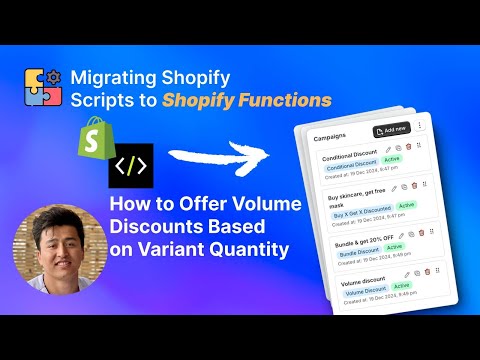
Volume discounts based on variant quantity are the classic “buy more, save more” pricing model. The more units of a specific product a customer adds to their cart, the better the per-unit price becomes. This is the discount structure shoppers instinctively understand — buy 3 t-shirts and get 10% off, buy 5 and get 20% off. This video walks through how to set up variant-quantity volume discounts in Shopify using PowerX Functions Creator, with automatic application at checkout.
What You’ll Learn in This Video
Section titled “What You’ll Learn in This Video”- How to create tiered volume pricing based on the quantity of a specific variant
- How to configure volume discounts with multiple quantity tiers
- How to use item selectors to target specific products or variants
- The difference between per-product and cart-wide quantity counting
- How to set up the discount for automatic application at checkout
Configuring Variant-Quantity Volume Discounts
Section titled “Configuring Variant-Quantity Volume Discounts”Variant-quantity volume discounts are the most straightforward volume pricing model. They count how many units of a specific product variant the customer adds to the cart and apply progressively better pricing as the quantity increases. This model works across nearly every product category — apparel, consumables, accessories, supplies, and wholesale.
How Variant-Quantity Discounts Differ from Other Volume Models
Section titled “How Variant-Quantity Discounts Differ from Other Volume Models”It is important to understand what “variant quantity” means in this context. Shopify products can have multiple variants — a t-shirt comes in Small, Medium, Large. A variant-quantity discount counts units of a specific variant. If a customer adds 3 Medium t-shirts, the count is 3. If they add 2 Medium and 1 Large, the per-variant count is 2 and 1, not 3.
You can also configure the discount to count across all variants of a product. In that case, 2 Medium + 1 Large = 3 total, and the quantity threshold applies to the combined count. The choice depends on your business logic and inventory management needs.
This is distinct from the unique-product volume discount covered in the previous tutorial, which counts distinct product line items rather than units.
Setting Up Tiered Volume Pricing
Section titled “Setting Up Tiered Volume Pricing”In PowerX, create a volume discount campaign. The configuration involves defining your tiers, selecting the target products, and choosing how quantities are counted.
A typical tiered volume pricing structure looks like this:
- Tier 1: Buy 3-4 units — 10% off
- Tier 2: Buy 5-9 units — 20% off
- Tier 3: Buy 10+ units — 30% off
For each tier, set the minimum quantity threshold and the corresponding discount. PowerX automatically evaluates the customer’s cart and applies the highest qualifying tier.
Use item selectors to define which products participate in volume pricing. You can apply volume discounts to your entire catalog, specific collections, individual products, or products matching certain tags. For most merchants, scoping volume discounts to specific product lines produces the best results.
Per-Product vs. Cart-Wide Counting
Section titled “Per-Product vs. Cart-Wide Counting”One critical configuration decision is the counting scope. Per-product counting means each product’s quantity is evaluated independently. A customer with 3 shirts and 2 pants gets the 3-unit tier on shirts and no volume discount on pants. Cart-wide counting combines quantities across all qualifying products. The same cart (3 shirts + 2 pants = 5 total) qualifies for the 5-unit tier.
Per-product counting is the standard approach for most stores. It is intuitive for customers and easy to reason about. Cart-wide counting works better for stores selling interchangeable or complementary products where the total quantity matters more than the per-item count — for example, a candle store where buying any 5 candles triggers a discount.
Displaying Volume Pricing to Customers
Section titled “Displaying Volume Pricing to Customers”Volume discounts are most effective when customers see the pricing tiers before they decide on quantity. Many merchants display a volume pricing table directly on the product page: “Buy 1-2: $25 each / Buy 3-4: $22.50 each / Buy 5+: $20 each.” This transforms the discount from a pleasant checkout surprise into an active purchasing incentive.
The discount itself applies automatically at checkout through PowerX — no discount code needed. But the messaging on the product page is what drives the behavior change. Customers who see tiered pricing are significantly more likely to increase their quantity to reach the next price break.
Margin Considerations
Section titled “Margin Considerations”When designing your tier structure, work backward from your margins. Calculate the per-unit cost, your minimum acceptable margin, and then set discount percentages that keep you profitable at every tier. A 30% discount on a product with 40% margin leaves you with only 10% margin — still profitable on volume, but requires high unit counts to be worthwhile. Map out the math for each tier before going live.
Key Takeaways
Section titled “Key Takeaways”- Variant-quantity volume discounts are the classic “buy more, save more” model that customers intuitively understand
- Choose between per-variant, per-product, or cart-wide quantity counting based on your business model
- Set tier thresholds based on your current quantity distribution — make the first tier achievable
- Display volume pricing on product pages to drive quantity increases before checkout
- Calculate margins at every tier to ensure profitability across all discount levels
Frequently Asked Questions
Section titled “Frequently Asked Questions”What is a variant-quantity volume discount?
Section titled “What is a variant-quantity volume discount?”A discount that activates based on how many units of a specific product variant the customer adds to their cart — for example, “Buy 5 of the same t-shirt, get 20% off.”
Can I set different discount tiers for different quantities?
Section titled “Can I set different discount tiers for different quantities?”Yes, you can create tiered volume pricing — for example, 10% off for 3+, 20% off for 5+, 30% off for 10+ units.
Does this apply per product or across the whole cart?
Section titled “Does this apply per product or across the whole cart?”You can configure it either way — per individual product/variant, or based on total quantity across all products.
Video Series Navigation
Section titled “Video Series Navigation”- Previous: How to Offer Volume Discounts Based on Unique Products in Cart
- Next: How to Set Different Discount Amounts with a Single Code
Ready to set up volume pricing? Install PowerX Functions Creator and start building variant-quantity volume discounts in minutes — no code required. Check the Getting Started guide if this is your first time using PowerX.