How to Prioritize Automatic Discounts at Shopify Checkout

Running multiple automatic discounts simultaneously is a common scenario for Shopify merchants — seasonal sales overlap with loyalty rewards, volume discounts compete with promotional campaigns. The problem is that Shopify’s default behavior gives you very little control over which discount actually applies when more than one qualifies. This video walks you through setting up discount priority rules using PowerX Functions Creator so you always know which discount wins.
What You’ll Learn in This Video
Section titled “What You’ll Learn in This Video”- Why Shopify’s default discount selection is unpredictable when multiple automatic discounts qualify
- How to set up priority rules that determine which discount takes precedence
- How to use PowerX’s application strategies to control discount behavior
- How to test your priority configuration before going live
Understanding Discount Priority in Shopify
Section titled “Understanding Discount Priority in Shopify”When a Shopify store has multiple active automatic discounts, any checkout where more than one discount qualifies creates a conflict. Shopify needs to decide which one applies, and the default behavior is not always transparent or controllable. For merchants running complex promotional calendars, this is a real problem — the wrong discount might apply, costing you margin or confusing customers who expected a different deal.
Discount priority is the mechanism that resolves these conflicts. Instead of leaving the decision to Shopify’s default logic, you define explicit rules about which discount should take precedence. This is especially important in scenarios like:
- Seasonal sale overlapping with a loyalty discount — You might want the loyalty discount to always win for tagged VIP customers, while the seasonal sale applies to everyone else.
- Multiple product-level discounts — A collection-wide 15% off and a specific product 25% off both qualify. You want the higher value to apply, or you want one specific campaign to always take priority.
- Stacking vs. exclusive discounts — Some discounts should combine, while others should be mutually exclusive.
How PowerX Handles Priority
Section titled “How PowerX Handles Priority”PowerX gives you three primary application strategies for resolving discount conflicts:
Maximum discount applies whichever qualifying discount gives the customer the best deal. This is the safest default for most stores because it is customer-friendly and predictable.
First match applies the first qualifying discount in your campaign list and ignores the rest. This gives you direct control — order your campaigns by priority, and the first one that matches wins. Use this when you have a strict hierarchy of promotions.
All applicable lets multiple discounts stack together. This is powerful but requires careful planning to avoid excessive discounting.
Setting Up Priority Rules
Section titled “Setting Up Priority Rules”The process starts in your PowerX dashboard. Navigate to the discount type you are working with — order discounts or product discounts — and review your active campaigns.
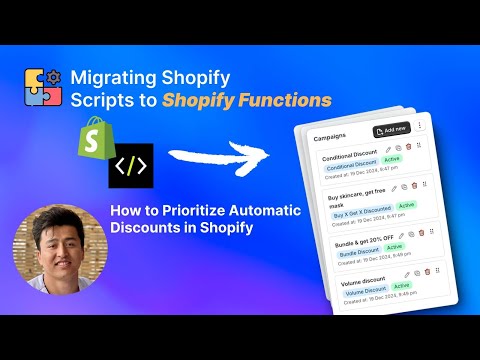
For first-match priority, the order of your campaigns in the list determines priority. Drag campaigns into your preferred order, with the highest-priority campaign at the top. When a customer’s cart qualifies for multiple discounts, PowerX evaluates from top to bottom and applies the first match.
For maximum-discount priority, no ordering is needed. PowerX automatically calculates the value of each qualifying discount and applies the one that saves the customer the most.
The key to getting this right is understanding your promotional calendar. Map out which discounts can overlap, decide which should take precedence, and configure accordingly. Test with different cart configurations to verify the behavior matches your expectations.
Key Takeaways
Section titled “Key Takeaways”- Shopify’s default handling of multiple automatic discounts is unpredictable — take explicit control with priority rules
- Use maximum discount when you want the best deal for the customer without manual ordering
- Use first match when you need a strict campaign hierarchy
- Always test discount priority with multiple cart scenarios before going live
- Review your priority configuration whenever you add new campaigns
Frequently Asked Questions
Section titled “Frequently Asked Questions”Can I control which automatic discount takes priority in Shopify?
Section titled “Can I control which automatic discount takes priority in Shopify?”Yes, PowerX lets you set priority rules for automatic discounts so the most relevant one applies at checkout.
What happens when multiple automatic discounts qualify?
Section titled “What happens when multiple automatic discounts qualify?”By default Shopify picks one, but with PowerX you define the logic — highest value, specific campaign priority, or custom rules.
Can I preview which discount will apply before customers check out?
Section titled “Can I preview which discount will apply before customers check out?”You can test discount priority by simulating different cart configurations in your store’s checkout.
Video Series Navigation
Section titled “Video Series Navigation”- Previous: How to Apply the Lowest Discount Automatically
- Next: How to Create Bundle Discounts in Shopify with Functions
Ready to take control of your discount priority? Install PowerX Functions Creator and start defining priority rules in minutes — no code required.