How to Offer Volume Discounts Based on Unique Products in Cart

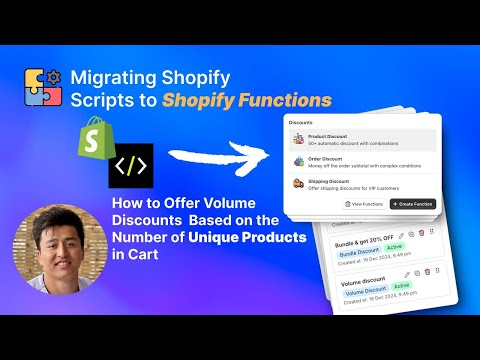
Most volume discount strategies focus on quantity — buy more units of the same product to unlock savings. But what if you want to reward customers for adding different products to their cart instead? Unique-product volume discounts do exactly that. They count the number of distinct products in the cart and apply discounts when customers reach a threshold — “Add 3 different products, get 10% off” or “Add 5 different items, get 20% off.” This video shows you how to configure this using PowerX Functions Creator.
What You’ll Learn in This Video
Section titled “What You’ll Learn in This Video”- The difference between quantity-based and unique-product volume discounts
- How to configure volume discounts that count unique products
- How to use cart qualifiers for unique product thresholds
- How to restrict discounts to products from specific collections using item selectors
- Real-world use cases for unique-product discounts
Building Unique-Product Volume Discounts
Section titled “Building Unique-Product Volume Discounts”Traditional volume discounts reward bulk purchasing — buy 10 of the same t-shirt, get a price break. That works well for wholesale and consumable products. But for stores with diverse catalogs — fashion boutiques, home decor, beauty brands, food and beverage — the strategic goal is often the opposite. You want customers to explore your catalog and try different products, not just buy multiples of one item.
Why Unique-Product Discounts Work
Section titled “Why Unique-Product Discounts Work”Unique-product discounts serve a fundamentally different business objective than traditional volume pricing. They are designed to increase catalog breadth per order. When a customer knows that adding a third unique product to their cart triggers a discount, they start browsing categories they might have ignored.
This approach is particularly powerful for:
- Fashion and apparel stores where customers benefit from complete outfits rather than multiples of the same item
- Beauty and skincare brands looking to introduce customers to full product lines and routines
- Food and beverage stores that want customers to sample a variety of products
- Gift shops where variety makes the shopping experience more interesting
The psychology is different from traditional volume discounts too. Instead of “buy more of what you already want,” the message is “explore more and save.” This creates a discovery-oriented shopping experience that benefits both the customer and the merchant.
Setting Up the Configuration
Section titled “Setting Up the Configuration”In PowerX, create a volume discount campaign and configure the qualifying conditions to count unique line items rather than total quantity. The cart qualifiers allow you to set the minimum number of distinct products required.
Here is a practical example setup:
- Tier 1: 3 unique products in cart — 10% off
- Tier 2: 5 unique products in cart — 15% off
- Tier 3: 7 unique products in cart — 20% off
Use item selectors to control which products count toward the unique product threshold. You might want to count only products from a specific collection, products with certain tags, or products above a minimum price point. This prevents customers from gaming the system by adding a handful of $1 accessories to trigger a large discount on expensive items.
Scoping to Collections and Tags
Section titled “Scoping to Collections and Tags”One of the most important configuration decisions is scope. Do all products in your store count, or only products from specific collections? For most merchants, scoping the discount to relevant collections produces better results.
For example, a skincare brand might create a “Build Your Routine” promotion where only products tagged as “routine-eligible” count toward the unique product threshold. A fashion retailer might scope it to a specific seasonal collection. This gives you control over which products benefit from the promotion and prevents unintended discount applications.
Combining with Other Discounts
Section titled “Combining with Other Discounts”Unique-product volume discounts can coexist with other discount types. A customer might qualify for both a unique-product discount and a loyalty discount. Use PowerX’s application strategies to define whether these stack or whether only the highest-value discount applies.
Key Takeaways
Section titled “Key Takeaways”- Unique-product volume discounts reward catalog exploration rather than bulk purchasing of a single item
- They work especially well for fashion, beauty, food, and gift stores with diverse catalogs
- Scope the discount to specific collections or tags to maintain control over which products qualify
- Set achievable thresholds based on your current average unique items per order
- Combine with clear on-site messaging to maximize the incentive effect
Frequently Asked Questions
Section titled “Frequently Asked Questions”What is the difference between quantity-based and unique-product volume discounts?
Section titled “What is the difference between quantity-based and unique-product volume discounts?”Quantity-based discounts count total units of one product, while unique-product discounts count how many different products are in the cart regardless of quantity.
Can I set thresholds like “Buy 3 unique products, get 10% off”?
Section titled “Can I set thresholds like “Buy 3 unique products, get 10% off”?”Yes, PowerX lets you set any threshold for the number of unique products required to trigger the discount.
Does this work with specific collections only?
Section titled “Does this work with specific collections only?”Yes, you can restrict the unique product count to items from specific collections or with specific tags.
Video Series Navigation
Section titled “Video Series Navigation”- Previous: How to Set Up Tiered Order-Level Discounts in Shopify
- Next: How to Set Up Volume Discounts by Variant Quantity in Shopify
Ready to reward product variety? Install PowerX Functions Creator and start building unique-product volume discounts in minutes — no code required.