How to Discount the Most Expensive Product in Shopify Cart

Most discount strategies apply uniformly across the cart — every qualifying product gets the same percentage or fixed amount off. But what if you want to run a promotion that only discounts the highest-priced item? This approach creates a compelling incentive for customers to add premium products to their cart while keeping your margins intact on everything else. PowerX Functions Creator makes this possible with its item selector targeting options that identify and discount specific items based on price ranking.
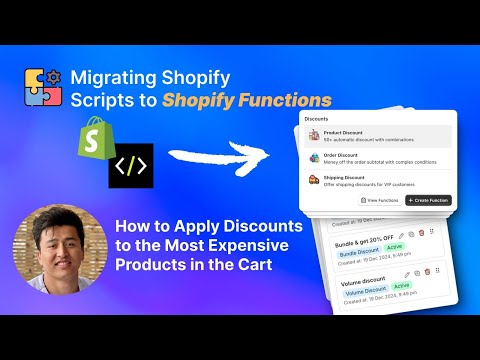
What You’ll Learn in This Video
Section titled “What You’ll Learn in This Video”- How to configure a discount that targets only the most expensive item in the cart
- Using PowerX’s item selectors for price-based product targeting
- Extending the logic to discount the top 2 or 3 most expensive items
- Combining this strategy with application strategies for multi-discount environments
Step-by-Step Guide: Discounting the Most Expensive Cart Item
Section titled “Step-by-Step Guide: Discounting the Most Expensive Cart Item”The Strategic Value of Price-Based Targeting
Section titled “The Strategic Value of Price-Based Targeting”Discounting the most expensive item in the cart is a promotion mechanic used by sophisticated retailers to achieve specific business goals. Unlike a blanket discount that reduces revenue across the board, price-based targeting concentrates the discount on a single high-value item while all other products remain at full price.
Why this works for merchants:
- Margin protection. If a cart contains a $200 jacket, a $50 shirt, and a $30 accessory, a 20% discount on only the jacket costs you $40. A 20% cart-wide discount would cost $56. You save $16 per order while the customer still perceives a significant deal.
- Average order value increase. When customers know the most expensive item gets discounted, they are incentivized to add higher-priced items to their cart. The promotion effectively upsells.
- Premium product movement. High-ticket items often have the highest absolute margins even after discounting. Targeting them moves premium inventory while protecting margins on lower-priced staples.
Configuring the Discount in PowerX
Section titled “Configuring the Discount in PowerX”-
Create a new Product Discount campaign. In the PowerX dashboard, navigate to Product Discounts and click “Create Campaign.” Name it descriptively — for example, “Most Expensive Item - 25% Off.”
-
Set the discount value. Choose your discount type (percentage or fixed amount) and enter the value. For this example, set it to 25% off.
-
Configure the item selector to target the most expensive item. This is the key step. In the item selector settings, choose the targeting mode that identifies items by price ranking. Select “Most Expensive” and set the quantity to 1. PowerX will automatically evaluate all items in the cart, identify the highest-priced one, and apply the discount exclusively to that item.
-
Set the trigger. Choose whether this discount activates via a discount code or runs as an automatic discount. Automatic discounts work well for this strategy because the customer sees the savings immediately as they browse their cart.
-
Add optional qualifiers. You can restrict this promotion further — require a minimum number of items in the cart (to prevent it from applying on single-item orders), limit it to specific customer segments, or set a minimum cart subtotal. These conditions ensure the promotion drives the behavior you want.
-
Test thoroughly. Add items at various price points to your test cart. Verify that only the highest-priced item receives the discount. Try edge cases: two items at the same price, a single item in the cart, and carts with products from excluded collections.
Extending to Top N Most Expensive Items
Section titled “Extending to Top N Most Expensive Items”PowerX does not limit you to just the single most expensive item. You can configure the item selector to target the top 2, 3, or more items ranked by price. A “Top 3 Most Expensive Items Get 15% Off” promotion is an excellent strategy for stores with larger average cart sizes. The configuration is identical — just change the quantity in the item selector from 1 to your desired number.
Combining with Other Discount Strategies
Section titled “Combining with Other Discount Strategies”When running this alongside other active discounts, your application strategy determines how they interact. The “Maximum Discount” strategy ensures customers always receive the best available deal. “First Match” applies only the first qualifying discount. Choose the strategy that aligns with your promotional goals and margin requirements.
Key Takeaways
Section titled “Key Takeaways”- Discounting only the most expensive item protects margins on all other cart products
- This strategy incentivizes customers to add higher-priced items, increasing average order value
- PowerX’s item selectors handle the price-ranking logic automatically at checkout
- You can extend targeting to the top 2, 3, or more expensive items
- Combine with cart qualifiers to require minimum item counts or subtotals
Frequently Asked Questions
Section titled “Frequently Asked Questions”Can I automatically discount only the most expensive item in the cart?
Section titled “Can I automatically discount only the most expensive item in the cart?”Yes, PowerX can identify the highest-priced item in the cart and apply a discount only to that product. The evaluation happens automatically at checkout — no manual tagging or product selection required. The function reads current cart prices in real time.
Can I extend this to the top 2 or 3 most expensive items?
Section titled “Can I extend this to the top 2 or 3 most expensive items?”Yes, you can configure the function to target the top N most expensive items in the cart for the discount. Simply adjust the quantity in the item selector settings to match how many high-priced items you want to discount.
Does this protect my margins on lower-priced items?
Section titled “Does this protect my margins on lower-priced items?”Yes, since the discount only applies to the most expensive item(s), all other products remain at full price. This is one of the most margin-friendly promotional strategies available — you offer a visible, compelling discount while limiting its financial impact to a single item.
Video Series Navigation
Section titled “Video Series Navigation”This is Part 4 of our Shopify Functions Tutorial Series.
- Previous: How to Set Different Discounts for Subscriptions vs One-Time Purchases
- Next: How to Apply the Lowest Discount Amount Automatically
Ready to run smarter, margin-protecting promotions?
- Install PowerX Functions Creator — free on development stores, 3-day free trial on paid plans
- Read the Product Discount documentation for the full configuration reference
- Learn about Item Selectors for price-based targeting options
- Explore Application Strategies for managing multiple active discounts