How to Set Up Tiered Order-Level Discounts in Shopify

Tiered discounts are one of the most reliable strategies for increasing average order value. The concept is simple — the more a customer spends, the bigger the discount they receive. Spend $100 and get 10% off, spend $200 and get 20% off, spend $300 and get 25% off. This creates a natural incentive for customers to add more to their cart to reach the next threshold. This video walks you through setting up tiered order-level discounts in Shopify using PowerX Functions Creator.
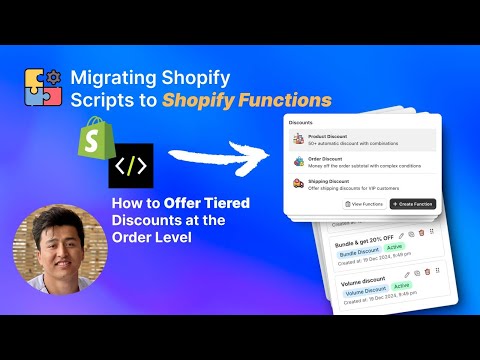
What You’ll Learn in This Video
Section titled “What You’ll Learn in This Video”- How to create multiple discount tiers based on cart total value
- How to configure order discounts with tiered thresholds
- How to use cart qualifiers to define tier thresholds
- How tiered discounts interact with application strategies
- Best practices for setting tier thresholds that maximize revenue
Building Tiered Order Discounts That Drive Revenue
Section titled “Building Tiered Order Discounts That Drive Revenue”Tiered order-level discounts operate at the cart level rather than the product level. Instead of discounting individual items, the entire order receives a discount based on the total cart value. This makes them fundamentally different from product-level or volume discounts and serves a distinct strategic purpose.
The Economics of Tiered Discounts
Section titled “The Economics of Tiered Discounts”The power of tiered discounts lies in the gap between tiers. When a customer’s cart totals $85 and the next discount tier kicks in at $100, there is a strong psychological pull to add $15 more to the cart. The customer perceives the additional discount as “free money” for a relatively small incremental spend.
This is why tier placement matters enormously. Set your tiers based on your actual order value distribution. If your average order value is $75, your first tier should be slightly above that — say $100 — to create an achievable stretch goal. The second tier should be a meaningful jump but still within reach for motivated shoppers.
A common mistake is setting the first tier too high. If your average order is $50 and your first tier starts at $200, most customers will not even try to reach it. The discount becomes invisible. Effective tiers are aspirational but achievable.
Configuring Tiers in PowerX
Section titled “Configuring Tiers in PowerX”To set up tiered order discounts, create an order discount campaign in PowerX. The process involves creating multiple conditions within a single campaign, each with its own cart value threshold and discount amount.
For each tier, use cart qualifiers to set the minimum cart subtotal. Then assign the discount value for that tier — either a percentage or a fixed dollar amount. PowerX evaluates the customer’s cart against all tiers and applies the highest qualifying tier.
Here is a typical three-tier setup:
- Tier 1: Cart subtotal $100+ — 10% off the order
- Tier 2: Cart subtotal $200+ — 20% off the order
- Tier 3: Cart subtotal $300+ — 25% off the order
You can add as many tiers as your promotion requires. Some merchants use five or more tiers for granular incentive structures.
Percentage vs. Fixed Amount Tiers
Section titled “Percentage vs. Fixed Amount Tiers”Percentage-based tiers scale naturally with cart value, which makes them intuitive for customers. A customer spending $250 immediately understands what 20% off means. Fixed-amount tiers (“$10 off orders over $100, $30 off orders over $200”) can be more margin-friendly because you control the exact discount dollar amount at each level.
Choose percentage tiers when you want simplicity and customer-friendly messaging. Choose fixed-amount tiers when you need precise margin control.
Displaying Tiers to Customers
Section titled “Displaying Tiers to Customers”Tiered discounts work best when customers know about them before checkout. Consider displaying your tier structure on product pages, in the cart, or in a banner. When customers see “You’re $23 away from 20% off your entire order,” they are far more likely to add another item. The automatic application at checkout then delivers on the promise without requiring any discount code.
Key Takeaways
Section titled “Key Takeaways”- Tiered order discounts are one of the most effective strategies for increasing average order value
- Set tier thresholds based on your actual order value distribution — make the first tier an achievable stretch
- Choose between percentage and fixed-amount tiers based on your margin requirements
- Display tier information to customers before checkout to maximize the incentive effect
- Test with multiple cart values to verify each tier applies correctly
Frequently Asked Questions
Section titled “Frequently Asked Questions”What are tiered order-level discounts?
Section titled “What are tiered order-level discounts?”Tiered discounts offer increasing discount amounts as the cart total rises — for example, 10% off orders over $100, 20% off orders over $200.
Can I set unlimited tiers?
Section titled “Can I set unlimited tiers?”Yes, PowerX supports as many discount tiers as you need, each with its own threshold and discount value.
Do tiered discounts increase average order value?
Section titled “Do tiered discounts increase average order value?”Yes, tiered discounts are one of the most effective strategies for increasing AOV because customers are incentivized to spend more to reach the next tier.
Video Series Navigation
Section titled “Video Series Navigation”- Previous: How to Create Bundle Discounts in Shopify with Functions
- Next: How to Offer Volume Discounts Based on Unique Products in Cart
Ready to set up tiered discounts? Install PowerX Functions Creator and start building tiered order discounts in minutes — no code required.