How to Apply Different Discount Amounts with a Single Shopify Code

Running promotions across your Shopify store often means you want different discount amounts for different products or customer segments — but managing multiple discount codes creates confusion for shoppers and headaches for your marketing team. With PowerX Functions Creator, you can configure a single discount code that dynamically applies different amounts based on product, collection, customer tag, or cart conditions.
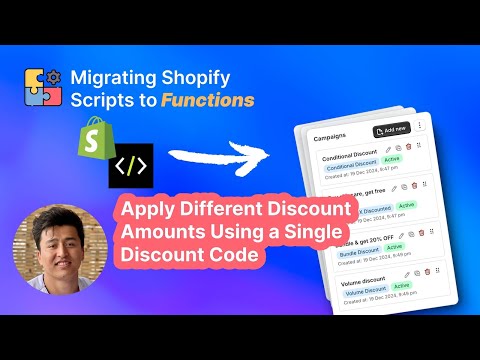
What You’ll Learn in This Video
Section titled “What You’ll Learn in This Video”- How to set up a single discount code that applies variable discount amounts
- Configuring rules based on product discounts to target different items with different values
- Using customer qualifiers to vary discounts by customer segment
- Leveraging item selectors for precise product targeting within a single campaign
Step-by-Step Guide: Dynamic Discounts with One Code
Section titled “Step-by-Step Guide: Dynamic Discounts with One Code”Why Variable Discounts Matter
Section titled “Why Variable Discounts Matter”Most Shopify stores carry products at different price points and margins. A flat 20% off across the board might work for a flash sale, but for ongoing promotions, influencer campaigns, or tiered loyalty programs, you need more control. A blanket discount erodes margin on high-cost items while barely moving the needle on low-priced products. Variable discounts let you protect your margins where they are thin and offer compelling deals where you can afford to be generous.
The challenge is that Shopify’s native discount system ties one amount to one code. If you want 30% off premium products and 10% off accessories, you need two codes — and customers can only use one code per checkout. This forces shoppers to choose, which defeats the purpose of a cohesive promotion.
Setting Up Variable Discounts in PowerX
Section titled “Setting Up Variable Discounts in PowerX”PowerX Functions Creator solves this by letting you build multi-rule campaigns where each rule has its own discount value and targeting criteria, all triggered by a single code.
-
Create a new Product Discount campaign. Navigate to Product Discounts in your PowerX dashboard and click “Create Campaign.” Name it something descriptive like “Summer Sale - Variable Amounts.”
-
Define your first rule. Use item selectors to target a specific collection, product, or tag. Set the discount amount — for example, 25% off your “Premium” collection.
-
Add additional rules for other segments. Click “Add Rule” and configure each with its own targeting and discount value. You might set 15% off “Accessories,” 10% off “Basics,” and a flat $5 off items tagged “clearance.”
-
Add customer-based conditions (optional). Using customer qualifiers, you can layer in customer-specific logic. For example, customers tagged “influencer” might get an extra 5% on top of the product-based discount, while “wholesale” customers get a different rate entirely.
-
Set the discount code trigger. Under campaign settings, choose “Discount Code” as the trigger and enter your chosen code. When a customer enters this single code at checkout, PowerX evaluates every rule in the campaign and applies the appropriate discount to each qualifying item.
-
Test across scenarios. Add products from different collections to your cart, apply the code, and confirm that each line item shows the correct discount. Test with different customer accounts if you have customer-based rules.
Practical Applications
Section titled “Practical Applications”This approach works particularly well for influencer marketing campaigns. You can give every influencer the same code — making it easy to promote — while configuring different discount tiers based on product categories. Your influencer promotes “SAVE20” and their audience gets 20% off featured products, 10% off everything else, with the exact amounts controlled entirely from your PowerX dashboard.
It is equally valuable for seasonal sales where different departments have different margin targets. Your buyer for electronics might approve 15% off while your apparel team can go to 30%. One code, one campaign, and the customer sees a single clean discount at checkout.
Key Takeaways
Section titled “Key Takeaways”- A single discount code can apply different amounts to different products, collections, or customer segments
- Multi-rule campaigns in PowerX evaluate each cart item against all rules and apply the matching discount
- You can mix percentage and fixed amount discounts within the same code
- Customer qualifiers add another layer of personalization without additional codes
- The checkout experience stays clean — customers see one discount line regardless of how many rules fire
Frequently Asked Questions
Section titled “Frequently Asked Questions”Can one discount code apply different amounts to different products?
Section titled “Can one discount code apply different amounts to different products?”Yes, PowerX lets you create a single code that applies different discount values based on product, collection, customer tag, or cart conditions. Each rule within your campaign targets specific items with its own discount amount, and they all fire from the same code.
Is this useful for influencer campaigns?
Section titled “Is this useful for influencer campaigns?”Yes, you can give each influencer the same code but configure different discount tiers based on the products their audience buys. This simplifies your influencer program while maintaining full control over which products get discounted and by how much.
Does the customer see one discount or multiple in the cart?
Section titled “Does the customer see one discount or multiple in the cart?”The customer sees a single discount line item at checkout, keeping the experience clean and simple. Behind the scenes, PowerX calculates the correct amount for each product, but the presentation to the shopper is one unified discount.
Video Series Navigation
Section titled “Video Series Navigation”This is Part 11 of our Shopify Functions Tutorial Series.
- Previous: How to Set Up Volume Discounts by Variant Quantity in Shopify
- Next: How to Offer VIP Discounts Based on Customer Tags in Shopify
Ready to create dynamic, variable discounts with a single code?
- Install PowerX Functions Creator — free on development stores, 3-day free trial on paid plans
- Read the Product Discount documentation for the full configuration reference
- Learn about Customer Qualifiers to personalize discounts by customer segment
- Explore Item Selectors to target exactly the right products