How to Create Bundle Discounts in Shopify with Functions

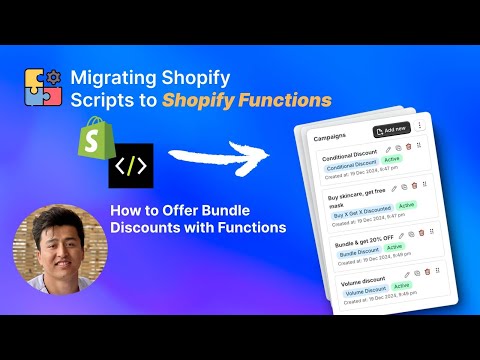
Bundle discounts are one of the most effective ways to increase average order value while giving customers a reason to buy complementary products together. Whether you want to offer “Buy a shirt and pants together for 20% off” or “Get these three skincare products for a flat $49,” bundle pricing creates a win-win for merchants and shoppers. This video shows you exactly how to configure bundle discounts in Shopify using PowerX Functions Creator.
What You’ll Learn in This Video
Section titled “What You’ll Learn in This Video”- How to create percentage-off bundle discounts (e.g., “Buy Product A + Product B, get 20% off”)
- How to set up fixed-price bundles (e.g., “Buy these 3 items for $49”)
- How to use item selectors to define which products form a bundle
- How bundle discounts work as automatic discounts at checkout
- Real examples of bundle discount configurations
Setting Up Bundle Discounts Step by Step
Section titled “Setting Up Bundle Discounts Step by Step”Bundle discounts reward customers for purchasing specific combinations of products. Unlike volume discounts (which reward buying more of the same item), bundles encourage customers to buy across product lines — a shirt with matching accessories, a camera with a lens and bag, or a complete skincare routine.
Why Bundle Discounts Work
Section titled “Why Bundle Discounts Work”Bundle pricing taps into two powerful psychological drivers. First, perceived value — customers feel they are getting a deal when buying items together rather than individually. Second, decision simplification — instead of browsing and deliberating over individual products, a bundle presents a curated selection that removes friction from the purchase decision.
For merchants, bundles serve strategic purposes beyond revenue. They help move slow-selling inventory by pairing it with popular items. They introduce customers to products they might not have discovered on their own. And they increase the number of items per transaction, which improves shipping efficiency and customer lifetime value.
Configuring a Percentage-Off Bundle
Section titled “Configuring a Percentage-Off Bundle”To create a bundle where customers get a percentage discount for buying specific products together, start by creating a new product discount campaign in PowerX.
Use item selectors to define the products that form your bundle. You can select specific products, products from a collection, or products matching certain tags. Set the minimum quantity for each bundle component — for a “shirt + pants” bundle, you need at least one of each.
Set the discount type to percentage and enter your discount value. A 20% bundle discount is a common starting point that provides meaningful savings without excessive margin erosion.
The key configuration detail is the item selector scope. Make sure your selectors target the right products. If your bundle is “any shirt + any pants,” use collection-based selectors. If it is specific products, select them individually.
Configuring a Fixed-Price Bundle
Section titled “Configuring a Fixed-Price Bundle”Fixed-price bundles work differently. Instead of a percentage off, the customer pays a flat price for the bundle regardless of the individual product prices. This is ideal when you want to simplify pricing — “$49 for the complete starter kit” is a cleaner message than “Buy these three products and save 23.7%.”
To set this up, calculate the total regular price of the bundle items, then set the discount as a fixed amount equal to the difference between the regular total and your desired bundle price.
Making Bundles Automatic
Section titled “Making Bundles Automatic”The real power of bundle discounts with PowerX is that they apply automatically at checkout. No discount codes needed. When a customer adds the qualifying combination of products to their cart, the discount appears automatically. This removes a major friction point — customers do not need to hunt for codes or remember to apply them.
Key Takeaways
Section titled “Key Takeaways”- Bundle discounts increase AOV by encouraging customers to buy complementary products together
- Use percentage-off bundles for flexibility or fixed-price bundles for simplified messaging
- Item selectors let you define bundles by specific products, collections, or tags
- Automatic application removes the friction of discount codes
- Test your bundles with different product combinations to verify correct behavior
Frequently Asked Questions
Section titled “Frequently Asked Questions”What is a bundle discount in Shopify?
Section titled “What is a bundle discount in Shopify?”A bundle discount automatically applies when customers add a specific combination of products to their cart — for example, “Buy a shirt + pants, get 20% off.”
Can I create fixed-price bundles?
Section titled “Can I create fixed-price bundles?”Yes, you can configure bundles where a set of products is offered at a flat price regardless of individual product prices.
Do bundle discounts work with automatic discounts?
Section titled “Do bundle discounts work with automatic discounts?”Yes, bundle discounts can be configured as automatic discounts that apply without requiring a discount code.
Video Series Navigation
Section titled “Video Series Navigation”- Previous: How to Prioritize Automatic Discounts at Shopify Checkout
- Next: How to Set Up Tiered Order-Level Discounts in Shopify
Ready to create bundle discounts for your store? Install PowerX Functions Creator and start building bundles in minutes — no code required.